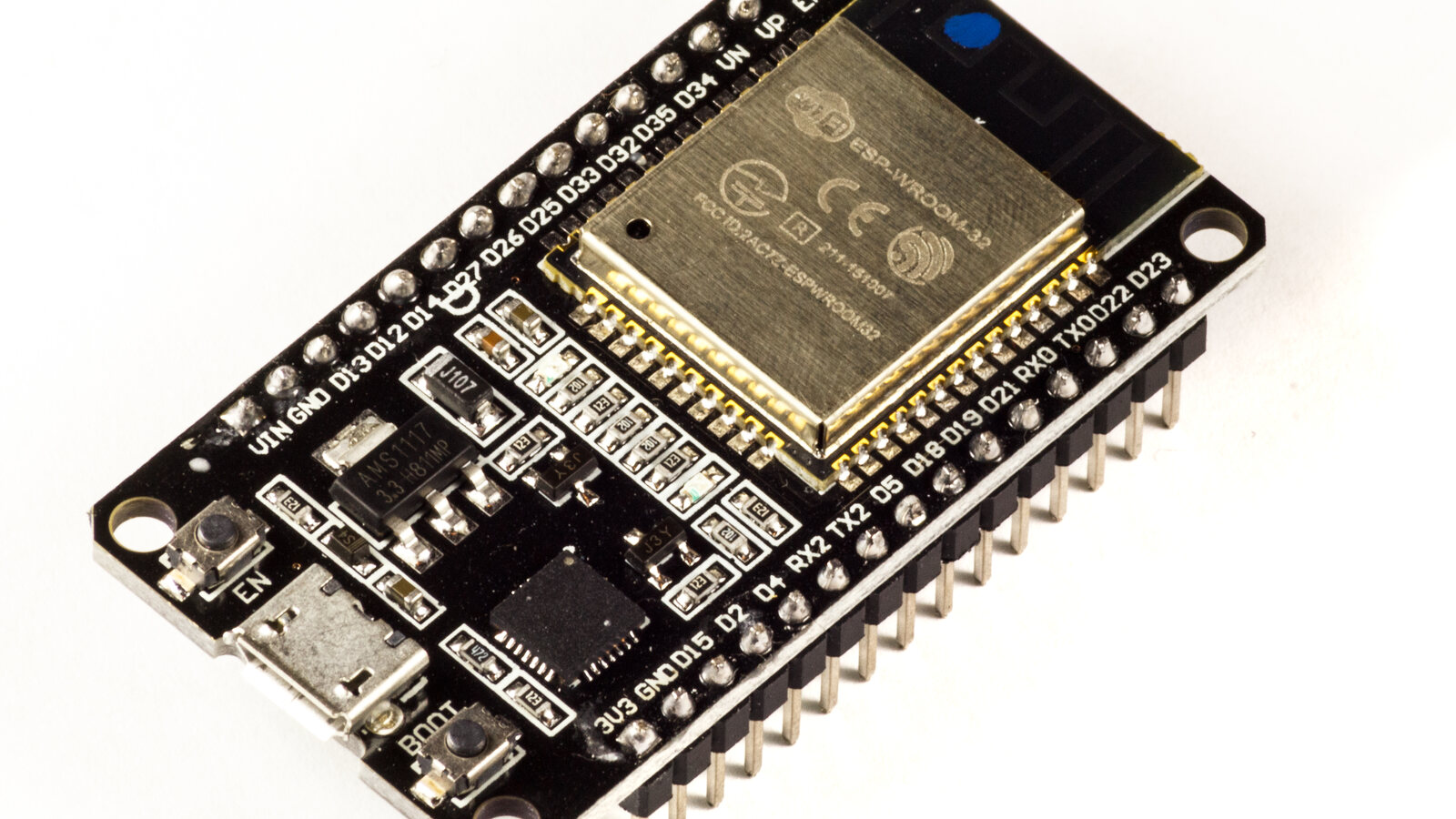
Plugging a laptop into a quad to tweak it in the Betaflight App is fine on the bench and miserable at the field. The Betaflight Bridge fixes that: it is a little ESP32-S3 that acts as USB host to a flight controller’s Virtual COM Port and re-exposes that serial stream over WiFi, so the Betaflight App can connect by TCP from a phone or laptop – no cable to the craft.
[FC USB VCP] <--USB host--> [ESP32-S3] <--WiFi / TCP:5761--> [Betaflight App]
It is a transparent byte bridge – no MSP parsing on the ESP32, it just pumps bytes between the FC’s USB and a TCP socket. The concept is simple and the bring-up mostly straightforward – but there is one thing worth understanding before you wire anything: a board with two USB ports is far nicer to live with than one, for two quite separate reasons.
What the ESP32-S3 brings to the party
The whole thing hinges on one feature: the ESP32-S3 has a native USB-OTG peripheral, so it can be a USB host, not just a device. That is what lets it enumerate the flight controller’s VCP and open it like a PC would. The host pins are fixed on the S3 (D- on GPIO19, D+ on GPIO20) and identical across boards – and that native port is the bridge’s whole job: it is the host link to the FC.
The catch: that same native USB is, by default, the chip’s flashing-and-console port (USB-Serial-JTAG). And there is the rub.
Reason one: you can actually debug the FC connection
The moment the firmware flips the native USB into host mode to talk to the FC, the USB-Serial-JTAG console on that very port disappears. On a single-port board – I started on a Waveshare ESP32-S3-ZERO, one USB-C and that is your lot – this is a genuine problem: the console dies at exactly the moment the interesting code runs, so you are trying to debug the flight-controller connection blind. Recovery means re-flashing over the air, or holding BOOT while you reset to force download mode. Bringing up new code with no log is no fun.
A board with a second, independent USB fixes it. I moved to a Freenove ESP32-S3-WROOM (N8R8): two USB-C ports, the native one hosting the FC and a second that goes through a WCH CH343 USB-UART bridge (it shows up as 1a86:55d3, a /dev/ttyACM*) wired to UART0 (TX GPIO43 / RX GPIO44). Flash and idf.py monitor over the CH343 port and the console stays up even while the native port is busy being a host. Now you can watch the FC connection come up in the log instead of guessing – and that, more than anything, is why two ports work best.
Reason two: power in the field is trivial
The second payoff shows up away from the bench. When the ESP32-S3 is the USB host it has to supply 5 V out to the flight controller it is talking to – the hardware notes call for “a 5 V supply able to power both the ESP32 and the attached FC.” With a second port, that supply can be the simplest thing imaginable: an ordinary USB power bank. Plug the bank into the second port, let the native port host the FC, and the whole rig runs with no laptop and no bench supply anywhere in sight. A power bank, the bridge, and the quad – that is the entire field kit.
So the two ports are never fighting over a job. The native port is always the host link to the FC. The second port is whatever you need it to be: your laptop and a live console on the bench, or a USB power bank out in the field.
The actual bring-up
The firmware is open source at github.com/betaflight/bridge. With ESP-IDF set up (it is vendored as a submodule), a board is chosen at configure time:
idf.py set-target esp32s3
idf.py -DBOARD=esp32s3-wroom-freenove build
idf.py -p /dev/ttyACM0 flash monitor
First boot, with no network stored, the board raises its own WiFi setup network (default password betaflight). Join it, browse to http://192.168.4.1/, and a little status page shows live USB / TCP / WiFi state and lets you scan for and join your home network; the credentials persist in NVS and every boot after that it just joins as a station. Point the Betaflight App at the TCP transport, port 5761, and you are flying – figuratively – over WiFi.
A WS2812 NeoPixel does the talking while you watch: dim red for “no FC,” amber when the FC’s VCP is open, green once the Betaflight App is linked, and a blue flash as bytes move. After the first serial flash, updates are over-the-air into a spare slot with rollback, so that debug cable becomes a thing you only need when something has gone properly wrong.
The takeaway
The Betaflight Bridge is a small, satisfying gadget, and the thing I wish I had internalised sooner is what that second USB port buys you. With a single port you cannot debug the FC connection at all – the port hosting the FC is the very one the console lives on, so it goes dark right when you need it. A second port hands it back: a live log while the FC stays connected. And the same port is what turns the bridge into a field tool – plug in any USB power bank and go. One port to talk to the FC, one port for you: that is the combination that makes it a pleasure to use.